SUN ZFS Storage 7120/7320/7420
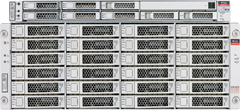
- SUN Disk Shelf 24×3.5" SAS-2
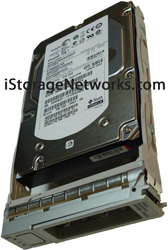
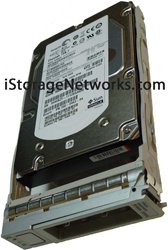
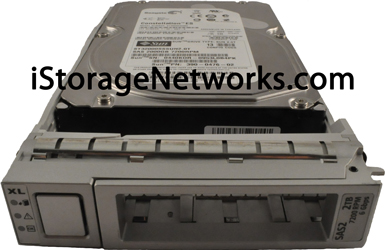
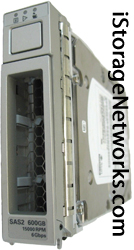
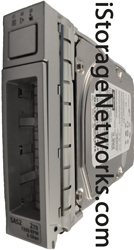
- Disk Drives for ZFS &
- SUN Fire X4xxx Server Heads
SUN ZFS Storage 7120/7320/7420 Overview
Internal ZFS 7120 Server Head Mass Storage
SAS: Configurations of Up to 12 internal 3.5″ SAS HDDs with add-on SAS Host Bus Adapter
SATA: Up to 2 internal 2.5″ SATA HDDs using the rear 2-Slot HDD assembly
| Drive Type | Density | Speed | Form Factor |
| SAS | 300 GB | 15,000 RPM | 3.5″ |
| SAS | 600 GB | 15,000 RPM | 3.5″ |
| SAS | 1 TB | 7,200 RPM | 3.5″ |
| SAS | 2 TB | 7,200 RPM | 3.5″ |
| SATA | 500 GB | 7,200 RPM | 2.5″ |
The Sun ZFS Storage 7120 is an enterprise-class two-socket rackmount x64 system powered by the Intel Xeon processor. It packs high performance and room for growth with four PCIe slots and 18 DIMM slots into a compact 2U footprint. The 7120 is a standalone controller that consists of a SAS-2 HBA providing disk shelf expansion, optiona l read and write flash accelerators, and 1TB and 2TB hard drives. The 7120 standalone configurations allow a single chain of 1 or 2 Sun Disk Shelves. These shelves support up to four write-optimized SSDs. Any combination of HDD-only and Logzilla-capable shelves may be combined within the chain in any order. Half-populated shelf configurations are not supported. Refer to http://www.sun.com/storage/disk_systems/unified_storage/7120/specs.xml for the most recent component specification.
Internal ZFS 7320 Server Head Mass Storage
SAS: Up to eight 2.5″ SATA Disks with add-on SAS Host Bus Adapter
SATA-2: Up to six 2.5″ Solid State Drives
| Drive Type | Density | Speed | Form Factor |
| SAS | 300GB, 600GB | 15,000 RPM | 3.5″ |
| SAS | 1TB, 2TB | 7,200 RPM | 3.5″ |
| SATA | 500GB | 7,200 RPM | 2.5″ |
| SSD (Solid State Drives) SAS | 18GB | NA | 3.5″ |
| SSD (Solid State Drives) SATA | 18GB | NA | 2.5″ |
The Sun ZFS Storage 7320 System consists of either a single storage controller, or two storage controllers in a high availability cluster configuration, and one to four Sun Disk Shelves. The 7320 controller base configuration includes two CPUs, built-in 4 x 1Gb/s front-end GigE ports, redundant power supplies, NIC options for expanded front-end support, tape backup, Infiniband, and dual port SAS HBA for storage expansion. The CPUs are Intel Xeon 5600 series, 2.40GHz, 80W, 4 core processors. Standard memory configuration is 24GB, 3 x 4GB DDR3-1333 DR DIMMs and may be upgraded to 48GB using 6x4GB DDR3-1333 DR DIMMs per CPU or to 72GB using 9x4GB DDR3 DR DIMMs per CPU. The clustered configuration simply uses two servers and a cluster card in each server for a heartbeat connection between them. All user-accessible storage is provided by one to four Sun Disk shelves external to the server(s). The RAID function is done by the software. Solid State 18GB SAS-1 drives (7320 SAS-2) which are used for high-performance write cache known as LogZilla or ZFS intent log (ZIL) devices, are in place of one to four of the 24 drives in the Disk Shelf, the remaining 20 drives are available for storage. The 7320 single and cluster controller configurations allow a single chain of 1 to 4 Sun Disk Shelves. Half-populated shelf configurations are not supported. Refer to the http://www.sun.com/storage/disk_systems/unified_storage/7320/specs.xml for the most recent component specification.
Internal ZFS 7420 Server Head Mass Storage (Sun Fire X4470 M2)
Up to 6 hot-swappable disks in the Sun Fire X4470 or X4470 M2 & 24 hot-swappable disks in the Sun Disk Shelf 24×3.5″ SAS-2
| Drive Type | Density | Speed | Form Factor | Supported In |
| SAS | 300GB, 600GB | 15,000 RPM | 3.5″ | Disk Shelf |
| SAS | 1TB, 2TB | 7,200 RPM | 3.5″ | Disk Shelf |
| SAS | 3TB | 7,200 RPM | 3.5″ | Disk Shelf |
| SATA | 500GB | 7,200 RPM | 2.5″ | X4470/X4470 M2 |
| SATA | 500GB | 10,000 RPM | 2.5″ | X4470/X4470 M2 |
| SSD (Solid State Drives) SATA-2 | 512GB | NA | 2.5″ | X4470/X4470 M2 |
| SSD (Solid State Drives) SAS | 18GB | NA | 3.5″ | Disk Shelf |
| SSD (Solid State Drives) SAS | 73GB | NA | 3.5″ | Disk Shelf |
The Sun ZFS Storage 7420 Appliance consists of either a single storage controller, or two storage controllers in a high availability cluster configuration, and one to 24 Sun Disk shelves. The 7420 and 7720 do not contain primary storage within their chassis, and therefore connect to external storage shelves and cages.Half-populated shelf configurations are not supported. Refer to the http://www.sun.com/storage/disk_systems/unified_storage/7420/specs.xml for the most recent component specification.
Disk Shelf Configurations
The following tables describe and provide part numbers for the supported expansion storage shelves. Contact us for quantity discount pricing and availability for fully populated ZFS Storage Disk Shelves.
|
Notes:
– With the ZFS fabric, you are encouraged to apply entire shelves to pools, so you can get the benefits of No Single Point of Failure (NSPF) configurations and striping across the maximum possible number of devices.
– Half shelves are not supported. Any missing or bad disk drives within a SAS-2 shelf during intial configuration render that disk location as unusable. You must re intilize the entire shelve (very disruptive) in order to add new disks to empty slots.
– Replacing failed disks is non-disruptive.
Replacing a Drive
Shelf drives are hot-swappable and may be replaced without removing power from the shelf. The replacement drive must be of the same capacity and type as the drive to be replaced. To avoid possible data loss when removing non-faulted drives, label each drive with the number of the slot from which it was removed and reinstall each drive into the same slot.
Faulted drives are indicated by an amber LED. Go to the Maintenance> Hardware section of the BUI and double click the shelf thumbnail to view Details for HDDs.
-
Locate the failed disk drive at the front of the chassis.
-
Press the release button in and to the right to release the ejection lever.
-
Pull the ejection lever fully open to unlock and partially eject the drive from the chassis.
-
Grasp the middle of the drive body and pull it toward you to remove it from the chassis.
-
Ensure the new drive ejection lever is in the fully extended position.
-
Align the new drive with the open slot and slide the drive into the disk chassis.
-
Push the drive into the chassis slot until the ejection lever engages the chassis connectors and begins to swing closed.
-
Press the ejection lever closed until it locks in place to seat the drive and lock it into the chassis. The Activity LED with be steady green to indicate a ready state.
-
Go to the Maintenance > Hardware screen of the BUI. Click for the controller and then click HDD to verify that the icon is green for the newly installed disk.
Contact us if you need quantity discount pricing, ordering lead time for full system components not shown here, or integration assistance for your SUN ZFS Storage.